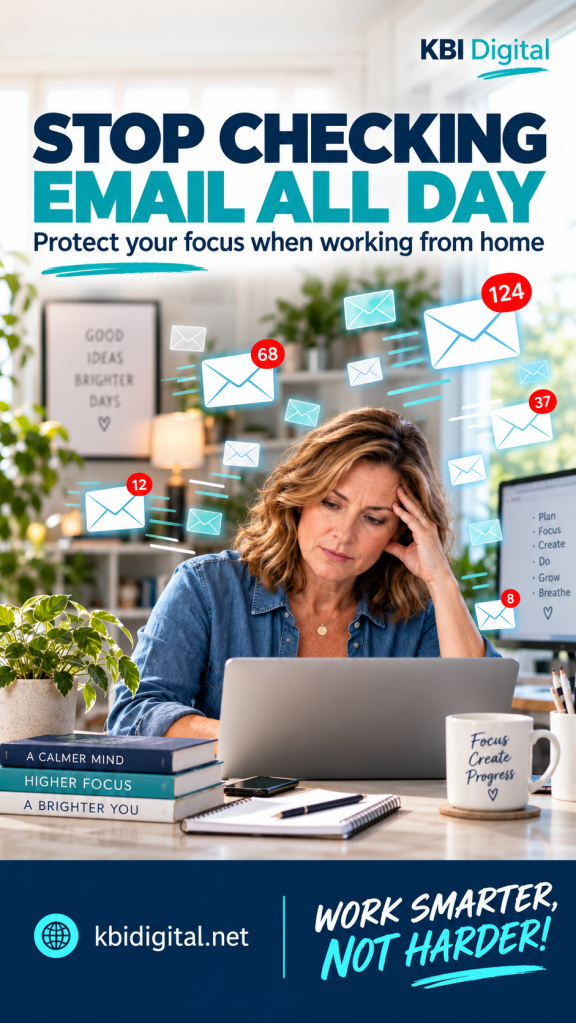
You sit down to work on a project, and an email notification pops up.
You open it because it will “only take a minute.” While you are there, you notice another message that needs a reply. That message sends you looking for a document. Then someone follows up on something completely different.
Before you know it, the project you planned to work on is still sitting there, waiting.
When you work from home, email can easily become the thing that organizes your entire day. You may feel pressure to respond quickly to show that you are available and working. But being available does not have to mean watching your inbox every minute.
The goal is to stay responsive while giving yourself enough uninterrupted time to get your work done.
Give Email a Place in Your Schedule
Instead of checking email whenever you think about it, try setting aside specific blocks to read and respond to messages.
Depending on your responsibilities, that might mean checking your inbox at the beginning of your workday, late morning, after lunch, and before you wrap up.
Here is one example:
| Email block | What to focus on |
|---|---|
| Start of the workday | Identify urgent requests and anything that affects today’s priorities. |
| Late morning | Answer questions and handle messages that arrived during your first work block. |
| After lunch | Review updates and respond to items needed for the afternoon. |
| Before signing off | Close out important replies and identify follow-ups for tomorrow. |
Treat this as a starting point. If your job involves customer support, time-sensitive approvals, or on-call responsibilities, you may need more frequent checks.
Even a shorter stretch between inbox visits can give you room to finish a task without repeatedly stopping.
KBI Tip: Start with one protected work block. Check your email, then close your inbox for 30 minutes while you focus on a specific task.
Turn Down the Notifications
A scheduled email routine is much harder to follow when every new message announces itself.
A sound, a banner, or a preview in the corner of your screen gives you another reason to look away from what you are doing. Even when you do not open the message, you may start wondering what it says.
Review your email notifications and decide which ones you actually need.
Consider turning off routine desktop alerts, silencing email sounds, and disabling duplicate notifications on your phone during focused work.
If your role requires urgent alerts, keep an agreed way for those messages to reach you. The important part is deciding what deserves an interruption.
You do not need a notification for every newsletter, copied message, or routine update.
Separate Urgent Messages From Everything Else
A new email is not automatically an urgent email.
Before you switch tasks, ask yourself:
- Does this need action before my next email block?
- Is someone unable to move forward without my answer?
- Does this affect a deadline or an important issue today?
- Am I the person who needs to handle it?
A message about a problem that is stopping someone’s work may deserve immediate attention. A general update or a request for next week may be able to wait.
During your email blocks, sort messages into a few practical categories: act now, schedule for later, delegate, or file.
For anything that needs more work, put the action on your task list or calendar. Include the deadline and a reference to the message so you can find it again.
An email sitting in your inbox is easy to reread several times without actually moving it forward.
Protect Focus Time on Your Calendar
If you need time to write, analyze, plan, or solve a problem, give that work a place on your calendar.
A block labeled “Finish monthly report” gives you a clear purpose. “Catch up” is easier to fill with whatever happens to arrive.
Before the block begins, check for anything that truly needs attention. Then close or minimize your inbox and work on the task you chose.
If you suddenly remember an email you need to send, make a quick note and return to your work. You can handle it during the next email block.
The same idea applies to chat messages. Closing email will only help so much if you keep checking another communication tool every few minutes.
KBI Tip: Choose a realistic block you can protect. A focused 30 minutes is a useful place to begin.
Make Urgent Communication Clear
An inbox routine works better when your team knows how to reach you when something cannot wait.
Agree with your manager or coworkers on reasonable response expectations and the right channel for urgent issues. That might be a phone call, a designated chat channel, or another method your team already uses.
You could explain your routine this way:
“I’m setting aside focus blocks to work on project deliverables. I’ll check email regularly throughout the day. If something needs attention before my next check, please reach me through our agreed urgent channel.”
Follow through on that agreement. Check when you say you will, and respond within the expectations of your role.
That predictability helps you protect focus time while remaining someone your team can rely on.
Stop Rereading Messages Without Taking Action
Sometimes the inbox becomes a holding area for decisions we have not made yet.
We open a message, think about it, close it, and come back later to do the same thing again.
When you review a message, decide its next step. Reply if you can handle it quickly within your email block. Schedule it if it needs more time. Pass it to the right person if someone else owns the work.
If you are waiting for an answer, flag it or keep a simple follow-up list.
You do not need an elaborate folder system. You need a reliable way to know what requires action and when.
End the Day With a Clear Next Step
Use your final email block to check for outstanding commitments and prepare for tomorrow.
Identify any replies that need to go out before you finish, record work that belongs on tomorrow’s list, and note anything you are waiting on.
Then close your inbox when your workday ends, unless your role requires after-hours monitoring.
Working from home can make it tempting to check “just one more time” throughout the evening. Setting a stopping point helps keep work from stretching into every part of your day.
Try One Small Change This Week
You do not have to overhaul your inbox overnight.
Start by turning off routine notifications during one focus block. Or choose a few planned email checks and see how they fit your responsibilities.
Notice what happens. Are you finishing more of the work you intended to do? Are important messages still getting a timely response? Adjust your schedule based on those answers.
Your inbox needs attention, but so do the projects, decisions, and people you are there to support.
A little structure can help you make room for all of them.
Build a Work-From-Home Routine That Works for You
Managing email is one part of building a more productive workday at home. Your workspace, daily schedule, breaks, and boundaries all matter, too.
That is the practical approach behind my work-from-home productivity book: small changes you can adapt to your own work and life.
Explore the book and more work-from-home resources at KBI Digital.
What pulls you back into your inbox most often—the notifications, the habit, or the feeling that you need to answer immediately? Share what works for you in the comments.
WORK SMARTER, NOT HARDER!


Leave a Reply