Working from home sounds simple enough. No commute, your own coffee, your own office, and everything you need is right there.
But anyone who has worked from home for a while knows that being home and being productive at home are two very different things.
There are distractions. Meetings take over your calendar. Email never stops. The people you live with sometimes forget that even though you’re physically home, you’re still at work. And if you’re not careful, you can sit down at your computer first thing in the morning and suddenly realize it’s late afternoon and you’ve barely moved.
Over time, I’ve made a lot of adjustments to the way I work from home. Most of them weren’t huge changes. They were little things I tried because something wasn’t working quite right.
Those little changes added up.
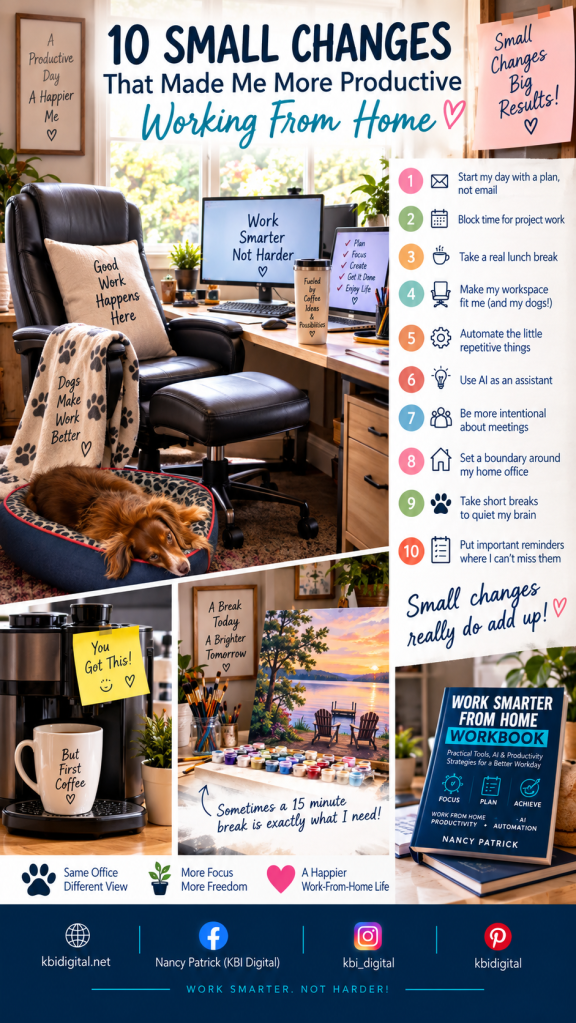
Here are 10 small changes that have made me more productive—and made my work-from-home day a whole lot better.
1. I Stopped Letting Email Decide How My Day Starts
It’s very easy to sit down at your computer, open your email, and immediately start working on everyone else’s priorities.
One email leads to another. Then you answer a message. Another email comes in. Someone needs something.
Before you know it, you’ve been working for an hour but haven’t touched the thing you actually needed to accomplish.
I still need to know what’s happening in my inbox, especially if something urgent has come in. But I’ve become much more intentional about identifying my priorities instead of automatically letting email determine them.
Before I get pulled into everything coming at me, I want to know:
What do I need to accomplish today?
That one question helps me stay focused on the work that really matters.
KBI Digital Tip: Your inbox is a communication tool. Don’t automatically turn it into your daily priority list.
2. I Put Focus Time on My Calendar
One thing I’ve learned over the years is that if I don’t protect time to actually do the work, something else will happily take that time.
Usually meetings.
It’s amazing how quickly a calendar can fill up with meetings, especially when everyone is working remotely. And meetings aren’t necessarily bad—we need them.
But there’s a big difference between talking about a project and having uninterrupted time to actually work on it.
Now I deliberately block periods of time on my calendar for project work.
If I have something that requires concentration, analysis, writing, planning, or problem-solving, I need uninterrupted time to focus on it.
I treat those blocks just like I would another appointment.
Things will still come up. My schedule isn’t perfect. But I’m much more likely to get important work finished when I’ve actually made room for it.
KBI Digital Tip: Don’t only schedule your meetings. Schedule the work that needs to happen between the meetings.
3. I Take a Real Lunch Break
This sounds incredibly simple, but it can be surprisingly difficult when you work from home.
Your kitchen is right there.
It’s very tempting to grab something, bring it back to your desk, and continue working while you eat.
I’ve certainly done it.
But I’ve found that taking even 30 minutes away from my computer helps reset my day.
I leave the office. I eat lunch. I might take the dogs outside. I move around and give myself a little separation between the morning and afternoon.
You don’t have to take a long break or do anything elaborate.
Just step away.
That time isn’t wasted. I usually come back much more refreshed and ready to tackle the afternoon.
KBI Digital Tip: Lunch at your desk isn’t really a break. Even 30 minutes away from your screen can help reset your brain.
4. I Made My Workspace Work for Me
I’ve spent a lot of years working at computers, so I’ve learned that your physical workspace matters.
And what works for somebody else isn’t necessarily what works for you.
For me, one of the things I really like in an office chair is a footrest. I like being able to change positions and put my feet up periodically instead of keeping my body in exactly the same position for hours.
I also use a lumbar pillow, ergonomic equipment, wrist support, and properly positioned monitors.
But no chair or ergonomic accessory replaces movement.
When you’re working at a computer most of the day, it’s important to remember to get up and move around. Sitting for long periods isn’t good for your circulation, so I try to change positions, stretch, stand up, and walk around throughout the day.
And then there is another essential part of my office setup:
My dogs.
They have their own place in my office.
I love having them with me while I work. They bring a calming presence to my day, especially when things get busy, and I genuinely enjoy having them nearby.
They’re also pretty good at reminding me when it’s time to get out of my chair!
Your perfect workspace doesn’t need to look like something you saw on Pinterest. It needs to make you comfortable and productive.
KBI Digital Tip: Build your office around the way you actually work—not around the way you think a home office is supposed to look.
5. I Started Automating the Little Things
I’m a technology person, so naturally I love finding ways to make technology do some of the repetitive work for me.
One question I frequently ask myself is:
Why am I doing this manually every single time?
If I’m repeating the same process over and over, I start looking for a better way.
It might be an email rule.
It might be a template.
It might be a recurring task, shortcut, scheduled report, or another simple automation.
Each individual task may only save a couple of minutes. But if it’s something you do repeatedly, those minutes add up.
More importantly, automation removes one more thing that you have to think about and remember.
KBI Digital Tip: When you catch yourself saying, “I do this all the time,” stop and ask whether some part of it could be automated.
6. I Started Treating AI Like an Assistant
AI has become another tool in my work-from-home toolbox.
I don’t think of AI as something that should replace my thinking or make decisions for me.
I think of it as an assistant.
It can help me brainstorm ideas, organize information, summarize something lengthy, create a starting point, troubleshoot an issue, or help me get past the dreaded blank page.
Instead of spending 30 minutes figuring out how to start something, I may be able to get a starting point in a few minutes and spend my time improving it.
I still review the output.
I still make the decisions.
I still make sure the finished work says what I actually want it to say.
The difference is that I don’t always have to start at zero.
KBI Digital Tip: Instead of asking, “What can AI do for me?” try asking, “What part of this task is taking my time that AI could help me do faster?”
7. I Became More Intentional About Meetings
I’ve learned to ask a very simple question:
Does this actually need to be a meeting?
Sometimes the answer is absolutely yes.
We need to discuss something, make a decision, solve a problem, or collaborate.
Other times?
An email or message might accomplish exactly the same thing.
Remote work has made it incredibly easy to put another video meeting on everyone’s calendar. But every meeting also takes time away from focused work.
When a meeting is necessary, I also appreciate having a clear purpose.
What are we discussing?
What decision needs to be made?
What should everyone know when we leave?
A focused 30-minute meeting can accomplish much more than an hour-long meeting without a clear purpose.
KBI Digital Tip: Before scheduling another meeting, ask whether you need a conversation, a decision, or simply information.
8. My Home Office Became an Actual Office
This was one of the most important boundaries I had to establish, and it required a conversation with my husband.
When you work from home, the people you live with can naturally think:
You’re home.
And technically, they’re right.
But being home doesn’t mean you’re available.
I had to explain that during my working hours, once I cross the threshold into my office, I’m on the clock.
That room becomes my workplace.
I need to be able to concentrate just as I would if I had gotten in my car that morning and driven to an office somewhere else.
That means minimizing conversations, household questions, interruptions, and all those little things that can wait.
If I come out of my office because I’m taking a break, that’s different. I have more flexibility.
And obviously, if there’s an emergency, I can stop what I’m doing.
It’s not about ignoring your family or shutting everyone out.
It’s about everyone understanding that working from home is still working.
Once we established that boundary, it helped minimize distractions and made it much easier for me to stay focused during my workday.
KBI Digital Tip: Don’t assume everyone in your household understands your work-from-home boundaries. Talk about them. Sometimes a closed office door needs to mean, “I’m at work right now.”
9. I Take Short Breaks to Still My Brain
Sometimes I don’t need a long break.
I just need my brain to stop for a few minutes.
One of the easiest things I can do is step outside with the dogs and get a breath of fresh air.
Even a few minutes outside can help.
But I also have another outlet that I love.
I have a separate desk where I work on paint-by-number projects.
Sometimes I’ll take about 15 minutes and paint.
For those 15 minutes, I’m not thinking about an email, project, spreadsheet, deadline, meeting, or whatever problem I was trying to solve.
I’m thinking about paint.
It gives my brain something completely different to focus on.
It helps me still my brain, recharge, and then go back to work with a clearer head.
Your version doesn’t have to be painting.
Maybe you step outside.
Maybe you stretch.
Maybe you play with your dog.
Maybe you water your plants or listen to a couple of songs.
Find something small that allows your brain to switch gears.
KBI Digital Tip: Don’t wait until you’re completely mentally exhausted before taking a break. Sometimes 10–15 minutes doing something completely different is exactly what your brain needs.
10. My Most Reliable Productivity Tool Might Be a Sticky Note
I use technology every day.
I use calendars.
I schedule focus time.
I use an erasable board to keep track of things.
I use AI.
I use automation.
And sometimes I can still forget something important.
So when there’s something that I absolutely cannot forget the next morning, I use a backup system that is about as low-tech as you can get.
A sticky note.
But where I put it is the important part.
There is one place I know I’m going every single morning:
The coffee machine.
If there’s something important for work—or even something important in my personal life—I put a sticky note right on the coffee machine.
I can overlook something on a calendar.
I can walk past my erasable board.
I can forget a notification.
But I’m not going to miss that coffee machine!
And that’s actually a pretty good example of something I’ve learned about productivity.
The best productivity tool isn’t necessarily the newest app or most sophisticated piece of technology.
The best system is the one that works for you.
KBI Digital Tip: If there’s something you absolutely cannot forget tomorrow, put the reminder somewhere your normal morning routine guarantees you’ll see it.
Small Changes Really Do Add Up
None of these changes happened all at once.
And none of them individually revolutionized my workday.
That’s actually what I like about them.
They were small changes I made because I noticed something wasn’t working as well as it could.
Then I kept the things that worked.
Over time, those little adjustments became part of my normal workday.
I’ve also learned that productivity isn’t about seeing how much work you can cram into eight hours.
For me, it’s about creating systems that allow me to get the important things done while still having a life outside of work.
Sometimes working smarter means using AI and automation.
Sometimes it means blocking time on your calendar.
Sometimes it means closing your office door.
Sometimes it means stepping outside with your dogs.
Sometimes it means spending 15 minutes working on a painting.
And sometimes…
it means sticking a note on the coffee machine.
Want to Work Smarter From Home?
These 10 changes are just a few of the things I’ve learned while building a work-from-home routine that actually works for me.
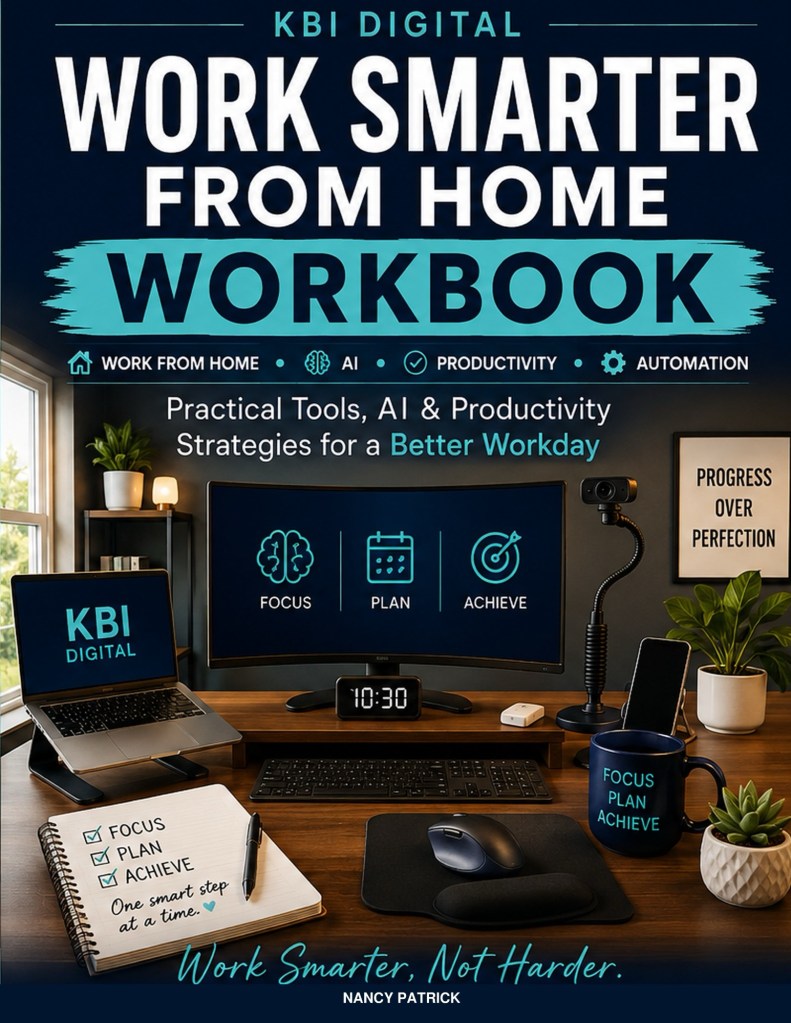
I go much deeper into these ideas in my book, Work Smarter From Home.
The book covers creating a productive workspace, organizing your workday, managing meetings and email, staying focused, using technology, AI and automation more effectively, and developing habits that help you be productive without letting work take over your life.
And because reading about productivity isn’t the same thing as actually changing your habits, Work Smarter From Home also includes exercises, practical tools, and a 30-Day Work Smarter Challenge to help you put the ideas into practice.
You don’t need to completely reinvent the way you work.
Start with one small change.
Then another.
Because small changes really do add up.
Work Smarter, Not Harder!
Book is available at amazon: https://a.co/d/04EtjBEa
KBI Digital
kbidigital.net


Leave a Reply