Working from home sounds like it should make focusing easier.
No commute. No coworkers stopping by your desk. No office chatter. You can create your own workspace and, theoretically, get a ton of work done.
But anyone who has worked from home for a while knows that’s only half the story.
At home, there are different distractions.
The dogs need something. The laundry is sitting there. Your phone lights up. An email arrives. Teams starts flashing. Someone schedules another meeting. You remember something you need to order. And because you’re already home, it’s incredibly easy to think, I’ll just take care of that really quick.
Twenty minutes later, you’ve completely lost your train of thought.
I’ve learned that staying focused while working from home isn’t about having incredible willpower. It’s about creating an environment and a routine that make it easier to focus in the first place.
Here are some of the things that work for me.
Start With a Schedule—and Stick to It
One of the most important things I’ve learned about working from home is that you still need a schedule.
I’ve written before about how I structure my work-from-home day and the routine that works for me. Having that routine isn’t just about being organized—it plays a huge role in keeping me focused.
When you work in an office, your day automatically has some structure. You leave home, arrive at work, take lunch and eventually leave the office.
At home, those boundaries can disappear very quickly.
That’s why I try to follow a consistent schedule. I normally get up around 6:00 a.m. and start work between 7:30 and 8:00. I take my lunch away from my laptop, and I have a point when the workday ends.
Of course, every day isn’t going to follow the schedule perfectly. Meetings happen. Problems come up. On-call weeks are different. That’s normal.
The important thing is having a schedule to come back to.
A schedule helps tell your brain: this is work time, this is break time, and this is when I’m done.
Without that structure, it’s very easy to bounce between work, household chores, your phone, email and everything else competing for your attention.
If you’d like to see more about how I structure my day, I wrote about my complete routine in My Work-From-Home Day here:
KBI Tip: A schedule doesn’t have to control every minute of your day. Think of it as the framework that helps you get back on track when distractions happen.
Know What You’re Supposed to Accomplish Before the Day Gets Away From You
A schedule gives my day structure, but I also need to know what I actually want to accomplish.
There will always be email. There will always be meetings. There will always be something that looks urgent.
That’s why I like to know what my priorities are before the day gets busy.
I look at my calendar, my projects and what’s coming up. Then I identify the work that actually needs focused time.
If I don’t deliberately make room for that work, the day can easily disappear into meetings and email.
KBI Tip: Don’t make your entire to-do list your priority list. Decide what really needs your focused attention today.
Protect Time for Project Work
Some work can be done in five- or ten-minute chunks.
Other work absolutely cannot.
Writing, analyzing data, solving a problem, building something, researching or working through a complicated project requires enough uninterrupted time to actually get into the work.
If I’m constantly stopping to check messages, I may technically be “working,” but I’m not necessarily accomplishing much.
When I need concentrated project time, I try to protect a block of my calendar for it.
That doesn’t mean I’m completely unavailable. It means I’m giving myself enough uninterrupted time to actually think.
If you know you need an hour to work on something important, put that hour on your calendar just like you would a meeting.
Your project deserves time on your calendar too.
Don’t Treat Every Notification Like an Emergency
This is a hard habit to break, especially when your job involves being available to other people.
An email arrives and you immediately want to read it.
Teams flashes and you want to see who messaged you.
Your phone buzzes and suddenly you’re looking at something that has absolutely nothing to do with work.
Every interruption has a cost because you have to mentally return to whatever you were doing before it happened.
I’ve become much more intentional about deciding when I need to be immediately available and when I can let something wait.
There are exceptions. During my on-call weeks, for example, I need to pay closer attention to incoming issues. My routine changes accordingly.
But every message doesn’t need the same level of urgency every day.
KBI Tip: Being responsive doesn’t mean you have to respond to everything the second it arrives.
Sometimes I Literally Close the Door
One advantage of having a dedicated home office is that I can create a physical boundary between “I’m available” and “I’m working.”
Sometimes that means closing the door.
A closed door is a very simple signal:
I’m working.
That boundary is useful for the people in your house, but it’s also useful for you.
When I walk into my office and start my workday, I’m going to work. I’m not wandering around the house looking for chores to do.
The laundry will survive until later.
If you don’t have a separate office, you can create your own version of this boundary. Headphones, a particular workspace or even a simple “working” sign can signal that this is your focused work time.
Step Away on Purpose—and Give Your Brain a Restart
This may sound like the opposite of staying focused, but I’ve found that sometimes the best thing I can do for my focus is stop trying to focus for a few minutes.
There are times when I’ve been staring at the same problem or screen for too long and I can tell my brain just isn’t getting anywhere.
That’s when I leave the office.
Sometimes I take the dogs outside. That gets me out of my chair, away from the screens and into the fresh air for a few minutes. The dogs are happy, and I’m getting a break at the same time.
Other times, I simply leave my office area for about 10 minutes.
I might get some coffee, walk around, stretch or do something completely unrelated to whatever I was working on.
And, of course, I have my painting.
I have another desk set up for painting, usually painting by numbers. Sometimes spending a few minutes concentrating on colors instead of spreadsheets, emails, meetings or whatever problem I’ve been staring at is exactly what my brain needs.
The important part for me isn’t necessarily what I do during the break.
It’s leaving the work environment for a few minutes.
No staring at the same screen.
No rereading the same email.
No trying to force myself through a problem when my brain is clearly telling me it needs a reset.
Ten minutes away can make a surprising difference.
I’ll come back into the office, sit down and sometimes see the answer to something almost immediately.
That’s why I don’t think of these little breaks as wasted time.
They’re a brain restart.
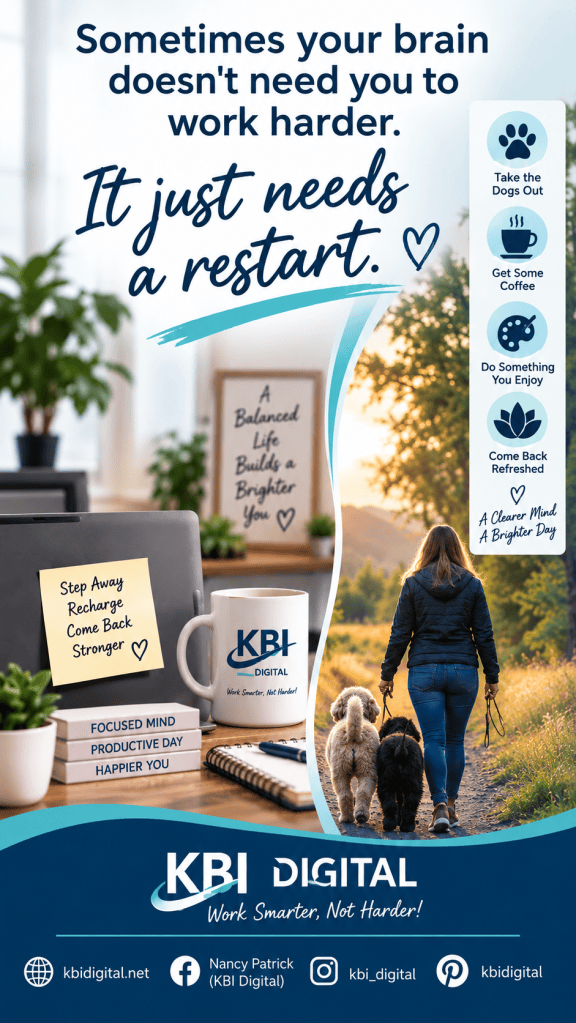
Your restart might be taking your dogs outside, walking around the block, stretching, making coffee, watering your plants, sitting outside, painting or simply moving to another room for 10 minutes.
Find whatever helps you mentally leave work for a moment.
Then come back.
KBI Tip: When you’re staring at the same problem and getting nowhere, don’t automatically push harder. Give your brain 10 minutes away from your workspace and try again.
Use Technology to Reduce Distractions—not Create More of Them
I love technology. I’m a geek. I have no problem admitting it.
But more technology doesn’t automatically make us more productive.
I want technology doing the repetitive work so I can spend my attention on the work that actually requires me.
That’s one reason I’ve become interested in using AI as an assistant.
AI can help with things like organizing ideas, summarizing information, creating a starting point for something I’m writing, brainstorming, documenting processes and handling repetitive tasks.
Simple automation can do the same thing.
If I perform the same manual task over and over, I start asking:
Can I automate this?
Because every repetitive task I eliminate gives me a little more time—and a little more mental energy—for something more important.
Technology should help protect your focus, not constantly interrupt it.
Meetings Need a Purpose
Meetings can destroy a focus day faster than almost anything else.
A 30-minute meeting doesn’t always cost only 30 minutes. There’s the interruption before it, the meeting itself and then the time it takes to get back into whatever you were doing.
That doesn’t mean meetings are bad. Some are absolutely necessary.
But I prefer meetings that have a purpose.
An agenda helps everyone know why we’re there, what needs to be discussed and what decision needs to be made.
And sometimes the best meeting is the one we realize we don’t actually need.
KBI Tip: Before scheduling a meeting, ask: What do we need to accomplish, and could we accomplish it another way?
Know When Your Focus Is Best
I’ve learned a lot about my own work habits over the years.
I’m a morning person.
That’s another reason my schedule works for me. My brain is fresh earlier in the day, so whenever possible, I don’t want to waste my best thinking time on things that could easily be done later.
Your best focus time may be completely different.
Maybe you’re at your best at 10:00 a.m. Maybe you hit your stride after lunch.
Pay attention to when complicated work feels easiest for you.
Then, whenever your schedule allows, protect some of that time for the work that requires the most concentration.
Focus Doesn’t Mean Being Productive Every Minute
This may be the biggest lesson I’ve learned.
Productivity isn’t about squeezing work into every available second.
And focus isn’t about never getting distracted.
You’re going to get interrupted.
The dog is going to bark.
Someone is going to message you.
A meeting is going to appear on your calendar.
You’re going to have days when your brain simply isn’t cooperating.
The goal isn’t perfection.
The goal is having a system that helps you recognize when you’ve gotten off track—and makes it easier to get back to what matters.
That’s where your schedule, priorities, boundaries, breaks and technology all work together.
Sometimes staying focused means protecting an hour for a project.
And sometimes staying focused means knowing when to walk away for 10 minutes so you can come back ready to think again.
Work Smarter, Not Harder
That’s really the philosophy behind KBI Digital and my book, Work Smarter From Home.
After years of working with technology, managing projects, attending more meetings than I could ever count and working from home, I’ve learned that productivity isn’t about doing more and more.
It’s about making work easier to manage.
It’s knowing what deserves your attention.
It’s following a schedule while still leaving room for real life.
It’s using technology where technology makes sense.
It’s creating boundaries.
It’s taking the dogs outside or walking away from your desk when your brain needs a restart.
It’s taking breaks without feeling guilty about them.
And it’s remembering that working from home is supposed to give us some flexibility—not turn our homes into offices that never close.
If you’re trying to create a work-from-home routine that helps you stay productive without letting work take over your life, that’s exactly why I wrote Work Smarter From Home.
And here on KBI Digital, I’ll keep sharing the tools, technology, routines and lessons that help me do exactly that.
Work Smarter, Not Harder!


Leave a Reply